What is difference between laser and inkjet printers? Laser and inkjet printers are the two main types of printers used today. They differ significantly in their technology, resulting in varying print quality, speed, and cost. Understanding these differences helps users make informed decisions based on their specific needs.
This discussion will cover the fundamental principles of each type, examining their core components, advantages, and disadvantages. We will also explore their various applications and use cases, helping you understand which printer type is better suited for your needs.
Introduction to Printing Technologies
From the earliest woodblock prints to the sophisticated digital marvels of today, the journey of printing has been a testament to human ingenuity and technological advancement. This evolution reflects not only a desire for mass communication but also a constant push for efficiency, quality, and accessibility. The methods of printing have fundamentally transformed, shifting from analog techniques to digital processes that revolutionized how we create and reproduce documents.Analog printing methods, relying on physical impressions, were the bedrock of early printing.
Digital methods, in contrast, use computer-generated instructions to control the printing process, enabling precise control and flexibility. Laser and inkjet printers, two prominent digital printing technologies, embody this shift, offering varying capabilities and characteristics. Understanding their fundamental differences is crucial to making informed decisions about which technology best suits specific needs.
Analog vs. Digital Printing Methods
Analog printing methods, exemplified by traditional offset printing, use physical plates or stencils to create an impression on paper. This method relies on physical transfer of ink, and while offering high-volume capabilities for certain applications, it lacks the flexibility and precise control that digital methods provide. Digital printing methods, on the other hand, employ computer files to guide the printing process, allowing for intricate designs and customized outputs, with a much wider range of applications from personalized marketing materials to high-quality photo prints.
Laser Printing Process
Laser printers use a laser beam to selectively charge a photoreceptor drum, which then attracts toner particles. The toner is then transferred to the paper through heat, creating the printed image. This process is generally faster and more efficient for high-volume printing tasks. The precision of the laser beam enables sharp text and crisp images, making it ideal for documents and presentations.
Inkjet Printing Process
Inkjet printers use tiny nozzles to spray ink onto paper. These nozzles are controlled by a computer, enabling intricate designs and variable print quality. Inkjet printers are popular for their versatility, allowing for high-quality photos, graphics, and text. They are commonly used for personal documents, photos, and graphic design projects. The variety of inks and print types also adds to their versatility.
Core Components Comparison
| Feature | Laser Printer | Inkjet Printer |
|---|---|---|
| Printing Mechanism | Laser beam, photoreceptor drum, toner | Ink nozzles, computer-controlled ink spray |
| Resolution | Generally higher resolution for text | Generally higher resolution for photos and graphics |
| Speed | Faster for high-volume printing | Slower for high-volume printing |
| Cost per Page | Lower for high-volume printing | Lower for lower-volume printing |
| Maintenance | Requires toner replacement | Requires ink cartridge replacement |
This table highlights the key differences between the two technologies, showing that laser printers excel in efficiency and cost-effectiveness for large print runs, while inkjet printers prioritize versatility and customization. Understanding these components is vital for choosing the appropriate technology for your needs.
Laser Printer Technology: What Is Difference Between Laser And Inkjet Printers
Unveiling the intricate dance of light and electricity that transforms digital documents into tangible printouts, laser printers stand as a testament to technological ingenuity. Their precision and speed have cemented their place as a cornerstone of modern offices and homes, efficiently handling everything from routine reports to high-quality presentations.
The Laser Printer’s Mechanism
Laser printers utilize a sophisticated process to achieve sharp, high-quality prints. A rotating drum, coated with a photoconductive material, acts as a crucial intermediary. This drum, electrically charged, interacts with a laser beam to create an electrostatic image of the document.
The Role of Laser, Toner, and Drum
The laser beam, meticulously controlled by the printer’s internal logic, draws the image on the drum, selectively discharging areas corresponding to the document’s design. This precisely controlled discharge pattern is crucial for the toner’s subsequent adhesion. The toner, a finely ground powder, is attracted to the electrically charged areas on the drum, adhering to the latent image. Subsequently, the toner is transferred to the paper, completing the printing cycle.
The drum, through a process of electrostatic discharge and recharging, is cleared for the next print job.
Advantages and Disadvantages
Laser printers offer several advantages. Their high-speed printing capabilities, combined with their ability to produce sharp text and graphics, make them ideal for large print volumes. Their durability and long-term reliability further enhance their appeal. However, laser printers can be more expensive than inkjet printers upfront. Their higher energy consumption is a notable drawback, particularly for heavy-duty use.
Laser Printer Types
Laser printers come in various configurations, catering to diverse needs. Monochrome laser printers, with their focus on black and white output, are commonly used for simple documents. Color laser printers, on the other hand, provide the versatility to print in full color, ideal for presentations, brochures, and marketing materials.
Comparison of Laser Printer Types
| Printer Type | Resolution (DPI) | Printing Speed (ppm) | Typical Cost |
|---|---|---|---|
| Monochrome Laser | 600-1200 DPI | 10-35 ppm | $150-$500 |
| Color Laser | 600-1200 DPI | 15-40 ppm | $300-$1500+ |
This table highlights the key characteristics of different laser printer types, providing a quick comparison of resolution, printing speed, and typical cost. The choice of printer often depends on the volume of printing needed and the budget constraints.
Inkjet Printer Technology
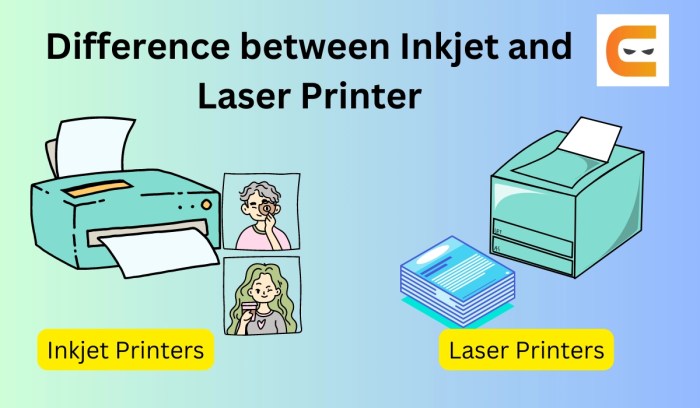
Inkjet printers, a ubiquitous presence in homes and offices, offer a compelling alternative to laser printers, particularly for their versatility and affordability. Their ease of use and ability to handle a wide range of media, from standard paper to specialized materials, make them an attractive choice for diverse printing needs. This section delves into the intricacies of inkjet printer technology, examining their inner workings, ink types, and overall performance characteristics.Inkjet printers utilize a precise and controlled method of dispensing ink onto the paper, producing images with a range of qualities.
This method contrasts sharply with the laser printer’s toner-based approach, which uses static electricity to transfer toner onto paper.
Ink Cartridge and Print Head Mechanism
The ink cartridge, a crucial component, houses the ink supply. A sophisticated print head, often composed of tiny nozzles, sits within the cartridge. These nozzles are meticulously calibrated to precisely control the ink’s trajectory and volume, ensuring that droplets land on the paper with remarkable accuracy. The print head’s design and functionality are paramount in determining the printer’s resolution and speed.
Different technologies like piezo and thermal, each with its unique mechanisms, are discussed in further detail later in this section.
Ink Types
Inkjet printers employ various ink types, each with its own set of properties. Understanding these differences is crucial for selecting the right printer for specific tasks.
- Dye-based inks are known for their vibrant colors and smooth, continuous tone gradations. They are frequently used for photographic printing and general document printing, offering a wide color gamut. Their susceptibility to fading and water damage, however, should be considered. Dye-based inks are favored for their aesthetic appeal, producing vivid images, particularly in photographic applications.
- Pigment-based inks, on the other hand, offer superior water resistance and permanence. These inks are ideal for documents that need to withstand environmental challenges, like posters or marketing materials. While pigment-based inks are more durable, they might not achieve the same vibrancy of colors as dye-based inks.
Advantages and Disadvantages of Inkjet Printers
Inkjet printers boast several advantages over other printing technologies.
- Affordability is a significant plus. Their generally lower initial cost makes them accessible to a broader range of users. This accessibility extends to the replacement of cartridges, as well.
- Versatility is another notable advantage. The ability to print on various media types, including photos and graphics, is a key strength.
However, inkjet printers also present some disadvantages.
- Inkjet printers can be slower than laser printers, especially when printing large documents.
- The cost of ink cartridges can accumulate over time, potentially exceeding the cost of a laser printer over a longer usage period. This is a critical factor for users who print frequently.
Inkjet Printer Technologies
The technology behind the print head varies among inkjet printers.
- Piezoelectric inkjet printers utilize tiny crystals that expand and contract when an electric current is applied, forcing ink through the nozzles. This method offers high precision and quality, especially for photographic printing.
- Thermal inkjet printers, on the other hand, use heat to vaporize the ink, propelling the droplets onto the paper. Thermal printers are generally less expensive than piezo printers and suitable for basic printing tasks.
Printing Resolution and Speed
The performance of inkjet printers varies based on the specific technology and features.
| Printer Type | Resolution (dpi) | Printing Speed (ppm) |
|---|---|---|
| Piezoelectric | 1200-2880 dpi | 10-15 ppm |
| Thermal | 300-720 dpi | 5-10 ppm |
Note: These figures represent approximate ranges and can vary based on specific models and print settings.
Key Differences

The digital printing world presents a captivating array of choices, with laser and inkjet printers standing as prominent contenders. Understanding their distinct characteristics is crucial for selecting the optimal solution for specific printing needs. Each technology boasts unique strengths, catering to different printing volumes, budgets, and quality expectations.
Print Quality and Resolution
Laser printers generally excel in producing crisp, sharp text and images, thanks to their toner-based technology. This results in superior resolution, particularly for documents demanding high detail. Inkjet printers, on the other hand, often deliver richer, more vibrant colors and textures, suitable for photographs and graphic-heavy documents. The trade-off is that laser printers typically offer a more precise and clean print output, while inkjet printers often display a smoother, more natural aesthetic.
Print Speed and Output Characteristics
Laser printers usually demonstrate faster printing speeds for large document volumes, making them ideal for high-throughput environments. The toner-based process, coupled with specialized mechanisms, allows for quicker page output. Inkjet printers, while not as rapid, are frequently preferred for occasional printing tasks or those requiring high-quality color output. The difference in speed reflects the underlying technological distinctions, and their suitability for different workflows.
Cost-Effectiveness
The cost-effectiveness of both printer types depends significantly on print volume and desired quality. Laser printers, while often having a higher initial investment, tend to be more economical for high-volume printing, as the toner cartridges generally provide more pages per unit cost. Inkjet printers are more cost-effective for occasional or lower-volume printing, offering a wider range of colors and textures, but often require frequent ink replacement.
In the long run, the choice hinges on the user’s printing habits and the projected printing needs.
Maintenance Requirements
Laser printers usually require less frequent maintenance compared to inkjet printers. The toner cartridges and internal components are often designed for longer periods of operation, thus reducing the need for frequent cleaning or repairs. Inkjet printers, on the other hand, can be susceptible to clogging and require regular cleaning to prevent ink buildup. Regular maintenance is essential for both types to prolong their lifespan and maintain optimal print quality.
Summary Table, What is difference between laser and inkjet printers
| Feature | Laser Printer | Inkjet Printer |
|---|---|---|
| Print Speed | Generally faster for high-volume printing | Slower, but adequate for occasional printing |
| Print Quality | Crisp text, sharp images, high resolution | Vibrant colors, smoother textures, suitable for graphics |
| Cost (per page) | More economical for high-volume printing | More economical for low-volume printing |
| Cost (initial) | Generally higher initial investment | Generally lower initial investment |
| Maintenance | Less frequent maintenance, longer component lifespan | More frequent cleaning to prevent clogging |
| Consumables | Toner cartridges, often more economical per page for high volumes | Ink cartridges, potentially higher per-page cost, especially for color |
Applications and Use Cases
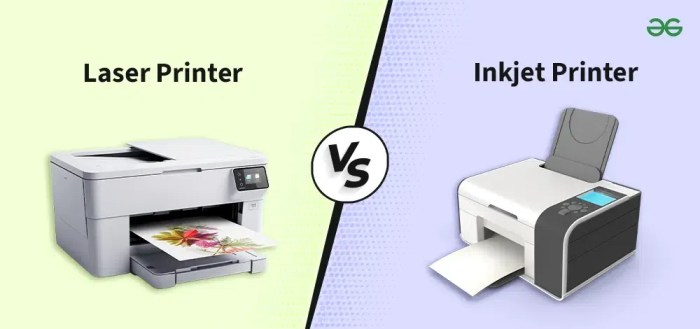
From high-volume document production in offices to intricate designs in graphic arts, the choice between laser and inkjet printers hinges on specific needs and desired outcomes. Understanding the nuances of each technology unlocks a deeper appreciation for their respective strengths, leading to optimal choices for diverse applications.The selection process often revolves around factors like print quality, speed, cost-effectiveness, and the complexity of the tasks at hand.
A precise understanding of these elements will allow users to effectively leverage the strengths of either technology to meet their unique demands.
Laser Printer Applications
Laser printers excel in situations demanding high-volume, high-quality output, often in demanding environments. Their robust construction and superior print speeds make them ideal for heavy-duty print jobs. For instance, businesses needing to generate hundreds or thousands of copies of reports, presentations, or invoices frequently find laser printers to be the more efficient and economical solution.
- High-volume printing: Laser printers shine when dealing with large print runs. Their speed and efficiency in handling bulk documents make them cost-effective for organizations needing to print numerous pages daily, such as educational institutions, government agencies, and large corporations.
- Precise documents: Laser printers are known for their sharp text and crisp graphics, making them suitable for documents demanding precision, such as contracts, legal papers, and technical manuals.
- Durable prints: Laser toner-based prints often exhibit greater resistance to fading and smudging compared to inkjet prints. This characteristic makes them preferable for long-term archiving and applications requiring durable documents, like engineering blueprints or marketing materials.
Inkjet Printer Applications
Inkjet printers are favored for their versatility and ability to produce high-quality color output, making them a staple in many homes and offices. Their flexibility in handling diverse media types and smaller print runs contributes to their widespread appeal.
- Photographic printing: The superior color accuracy and smooth gradations of inkjet printers make them the preferred choice for photo printing. Their ability to reproduce intricate details and vibrant colors makes them well-suited for home and professional photo printing.
- Variable data printing: Inkjet printers are adept at handling personalized documents, like marketing materials and direct mail pieces, enabling businesses to create customized content for targeted audiences. This flexibility makes them ideal for direct marketing and customer relationship management campaigns.
- Small-volume printing: For occasional or small-batch printing needs, inkjet printers offer a convenient and affordable solution. Their ease of use and relatively low cost of entry make them a practical choice for personal use or short-term projects.
Industrial Applications
In various industries, laser and inkjet printers play specific roles. The suitability of each printer type often hinges on the demands of the industry.
| Printer Type | Typical Application | Benefits |
|---|---|---|
| Laser Printers | High-volume document printing, large-format printing for blueprints, technical documents, and marketing materials | High speed, durability, cost-effectiveness for large print runs, high-quality output |
| Inkjet Printers | Personalized documents, photo printing, graphic arts, smaller print runs, diverse media printing | High color accuracy, versatile printing on different media, customization capabilities, suitable for small print jobs |
Laser printers are often preferred in manufacturing settings for generating technical documentation and blueprints.
Inkjet printers are crucial in the graphic design industry for producing high-quality images and color graphics.
Maintenance and Troubleshooting
Mastering the art of printer maintenance and troubleshooting is crucial for optimal performance and longevity. Ignoring these aspects can lead to costly repairs and frustrating downtime. Understanding the specific needs of laser and inkjet printers empowers users to proactively address potential issues, saving time and resources.
Common Maintenance Tasks
Proactive maintenance significantly extends the lifespan of both laser and inkjet printers. Regular cleaning and preventative measures are essential for avoiding costly repairs and ensuring smooth operation.
- Laser Printers: Regularly clean the fuser unit and the toner cartridge area. Accumulation of dust and debris can impede the printing process and potentially damage the printer components. Follow the manufacturer’s instructions carefully for the specific cleaning procedures.
- Inkjet Printers: Regularly clean the print heads to prevent clogs. This is particularly important for inkjet printers, as dried ink can lead to print head blockages. Employ the cleaning cycles recommended by the manufacturer. Ensure to use the correct cleaning solutions and methods.
Troubleshooting Common Issues
Understanding common problems and their solutions is essential for effective troubleshooting. Early detection and resolution of minor issues often prevent escalation into more significant problems.
- Laser Printers: Issues like poor print quality, paper jams, and toner problems can be resolved with proper diagnostics. Ensure that the toner cartridge is correctly installed and that the paper tray is loaded correctly. Check the fuser unit for blockages or debris.
- Inkjet Printers: Print head clogs, paper jams, and misaligned prints are common inkjet issues. Cleaning the print heads, checking for paper misfeeds, and adjusting the print alignment settings can resolve these issues. Verify that the paper is the correct type for the printer and that it is loaded correctly.
Preventing Printer Problems
Proactive measures can significantly reduce the frequency of printer problems.
Laser printers offer higher print speeds and generally produce sharper text compared to inkjet printers. However, determining if laser is definitively “better” depends on your specific needs. For instance, a key difference lies in the technology itself, and the question of whether laser is better than inkjet often comes down to cost, print quality, and speed, factors that can vary significantly.
To explore this further and delve into the detailed comparison, check out this resource on is laser better than inkjet. Ultimately, the best choice between laser and inkjet printers hinges on factors like budget, printing volume, and desired print quality.
Proper handling, appropriate paper types, and adherence to manufacturer guidelines are key to preventing issues.
- Laser Printers: Use the correct type of paper and toner cartridges recommended by the manufacturer. Store the printer in a cool, dry environment to prevent component damage. Regularly check for paper jams and obstructions.
- Inkjet Printers: Ensure that the ink cartridges are properly installed and that the printer is used regularly to prevent dried ink. Use the appropriate paper type for the printer and avoid using overly thick or flimsy paper. Store the printer in a cool, dry place, away from direct sunlight.
Step-by-Step Guide to Resolving Common Problems
A systematic approach to resolving problems is crucial for efficient troubleshooting.
- Paper Jams: Carefully remove any jammed paper, following the printer’s instructions. Ensure the paper path is clear of debris and obstructions.
- Print Quality Issues: Check the toner cartridge and ink levels. Ensure that the paper type is appropriate. Adjust print settings as necessary.
- Connectivity Problems: Verify the cable connections. Ensure that the printer is properly connected to the computer or network.
Troubleshooting Table
This table provides a concise overview of frequent problems and their solutions for both printer types.
| Problem | Laser Printer Solution | Inkjet Printer Solution |
|---|---|---|
| Poor print quality | Check toner cartridge, paper type, and print settings. | Clean print heads, check ink levels, and adjust print settings. |
| Paper jam | Carefully remove jammed paper and ensure the paper path is clear. | Carefully remove jammed paper and ensure the paper path is clear. |
| No printing | Check cable connections, printer status, and software settings. | Check ink levels, cable connections, and printer status. |
| Print head clogs | Not applicable | Clean print heads using the manufacturer’s cleaning cycles. |
Future Trends in Printing
The landscape of printing is undergoing a profound transformation, driven by technological advancements and evolving societal needs. Emerging technologies are reshaping the way we create, distribute, and interact with printed materials, promising a future where print is both more accessible and more sustainable. This evolution presents exciting opportunities for both laser and inkjet printers, demanding a nuanced understanding of the shifts taking place.
Emerging Technologies Impacting Printing
The printing industry is being revolutionized by several disruptive technologies. 3D printing, once confined to prototyping, is now finding applications in diverse sectors, from personalized healthcare to architectural design, offering unprecedented customization capabilities. Mobile printing, facilitated by cloud-based solutions and ubiquitous connectivity, empowers users to print from anywhere, anytime, blurring the lines between physical and digital interactions.
The Future of Laser and Inkjet Printer Technology
Laser printers are poised to continue their dominance in high-volume, high-quality document printing, particularly in business environments. Improvements in toner technology, coupled with enhanced efficiency in printing processes, will likely result in faster print speeds and reduced energy consumption. Inkjet printers, meanwhile, are predicted to advance towards greater versatility. Expect to see inkjet printers capable of handling a wider range of media types, from flexible materials to specialized substrates.
This adaptability will drive innovation in creative and personalized printing applications.
Potential Innovations in Printing Technology
Innovations in printing technology will be characterized by increased speed, improved quality, and heightened sustainability. Expect the development of new printing techniques, such as holographic printing, capable of creating intricate and detailed images with enhanced visual appeal. Another potential innovation is the integration of augmented reality (AR) technology with printing, allowing users to overlay digital information onto physical documents, creating interactive experiences.
The Role of Sustainability in the Future of Printing
Sustainability is becoming a critical factor in the future of printing. Environmental concerns are prompting the development of eco-friendly printing materials, inks, and processes. The printing industry is actively exploring alternatives to traditional materials, including biodegradable plastics and recycled paper. The adoption of more energy-efficient printing equipment is also a significant trend. This commitment to sustainability is not just a matter of corporate social responsibility; it’s a necessity for the long-term viability of the industry.
Potential Advancements in Printing Technology
| Advancement | Impact on Laser Printers | Impact on Inkjet Printers |
|---|---|---|
| 3D Printing Integration | Potentially enables personalized document printing, including intricate designs and 3D-printed output. | Allows for printing on diverse materials and substrates, expanding the application range of inkjet printers. |
| Holographic Printing | Could enhance document security and aesthetic appeal through intricate designs. | Provides the ability to create complex layered and textured prints. |
| Augmented Reality Integration | Could add interactive layers to documents, creating dynamic experiences. | Facilitates the printing of AR-enabled media, creating interactive documents. |
| Biodegradable Inks/Materials | Promotes environmentally friendly printing, reducing the impact on the environment. | Reduces environmental footprint through the use of sustainable inks and materials. |
| Energy-Efficient Equipment | Leads to lower operational costs and a smaller carbon footprint. | Encourages the development of environmentally conscious printing solutions. |
Closing Notes

In conclusion, the choice between a laser and an inkjet printer depends on several factors, including print quality requirements, budget, and intended use. Laser printers excel in high-volume, high-quality print jobs, while inkjet printers offer versatility and affordability for personal use and smaller-scale printing. This comparison provides a clear understanding of the nuances between these two essential printing technologies.
Essential FAQs
What are the common maintenance tasks for laser printers?
Regular cleaning of the printer’s interior, including the drum and fuser unit, is essential. Check for and replace worn or damaged components, such as toner cartridges, as needed. Proper handling of toner and other materials is also important to prevent damage and ensure longevity.
What are the common maintenance tasks for inkjet printers?
Regular cleaning of the print head is crucial to prevent clogging. Emptying the ink cartridges regularly and ensuring the ink levels are sufficient for print jobs can also help. Replacing the ink cartridges is also important, as well as handling and storing the cartridges appropriately.
What is the typical cost difference between laser and inkjet printers?
Laser printers typically have a higher initial cost but lower running costs due to the lower cost per page for printing. Inkjet printers have a lower initial cost but higher running costs due to the expense of ink cartridges.
What is the difference in print quality between laser and inkjet printers?
Laser printers generally produce higher-quality text and graphics with sharper images and better contrast. Inkjet printers, while suitable for photos and graphics, can often yield lower-quality text compared to laser printers.


