What inkjet printer best aligns with your needs? This exploration delves into the captivating world of inkjet printing technology, guiding you toward the perfect choice for your unique printing requirements. From the fundamental principles behind inkjet technology to the nuanced differences between cartridge-based and ink tank printers, we’ll equip you with the knowledge to make an informed decision.
Understanding the various features like print speed, resolution, and paper handling is crucial. This comprehensive guide will navigate you through the intricacies of choosing the right printer for your needs, ensuring a smooth and fulfilling printing experience.
Introduction to Inkjet Printers

Inkjet printers, a ubiquitous presence in homes and offices, transform digital data into tangible documents with a delicate dance of ink and paper. Their quiet operation belies a sophisticated technology, utilizing microscopic jets to deposit ink onto the page, yielding an array of print qualities. This exploration delves into the diverse world of inkjet printers, revealing their intricacies and the key differences between their various types.
Inkjet Printer Technology
Inkjet printers utilize a precise method of ink deposition, carefully choreographed by tiny nozzles. A reservoir of ink, either in a cartridge or tank, is the source of this liquid artistry. Electrical impulses control the precise expulsion of ink droplets, creating the desired image on paper. The intricate mechanisms involved in ink delivery, droplet formation, and paper feeding combine to produce the documents we rely on daily.
Types of Inkjet Printers
Inkjet printers come in various configurations, each catering to different needs and budgets. A fundamental distinction lies between cartridge-based and ink tank systems. Cartridge-based printers use replaceable cartridges containing ink, while ink tank printers feature an independent ink reservoir.
Comparison of Cartridge-Based and Ink Tank Printers
The choice between cartridge-based and ink tank printers often hinges on factors like cost, maintenance, and print quality. A comparative analysis clarifies these nuances.
| Printer Type | Ink System | Cost | Maintenance | Print Quality |
|---|---|---|---|---|
| Cartridge-Based | Ink contained in replaceable cartridges | Generally lower initial cost | Higher ongoing cost due to cartridge replacement | Typically good, dependent on cartridge quality |
| Ink Tank | Ink stored in a separate reservoir | Higher initial cost | Lower ongoing cost due to refillable ink | Potentially higher quality with consistent ink supply |
Printer Features and Capabilities: What Inkjet Printer
/printer-649004582-31623906dc38475bba79c63b0d18d761.jpg?w=700 "What Is an Inkjet Printer?")
Inkjet printers, with their delicate dance of ink and paper, offer a spectrum of features and capabilities. Their versatility allows for a wide range of print tasks, from everyday documents to stunning photographic masterpieces. Understanding these features is key to choosing the perfect printer for your needs.Inkjet printers excel in their ability to produce high-quality images, especially when used with appropriate paper types.
Their dynamic print mechanisms and precision ink deposition contribute to the nuanced gradations and vibrant colors that are crucial in graphic arts and photography.
Print Speed
Print speed, often measured in pages per minute (ppm), is a critical factor for users needing rapid output. Faster print speeds can significantly reduce turnaround times for tasks like report generation or quick document distribution. Different inkjet models vary considerably in their print speeds. Budget-oriented models frequently prioritize lower ppm values, while high-end printers often boast substantial print speed enhancements.
Real-world performance, however, depends on several factors, including the complexity of the document and the printer’s internal processing capabilities.
Print Resolution
Print resolution, typically expressed in dots per inch (dpi), directly impacts the image quality. Higher resolution values enable finer details and sharper text. Inkjet printers commonly offer resolutions ranging from 4800 dpi to 12000 dpi. The perceived difference in print quality between high-resolution and lower-resolution models often varies depending on the human eye and the nature of the printed material.
In essence, higher resolution yields superior clarity and detail in the final print product.
Paper Handling
Inkjet printers accommodate a diverse array of paper types. From standard office paper to photo paper and card stock, their adaptability allows for diverse printing needs. The printer’s tray and feeder mechanisms are designed to handle specific paper weights and sizes. Mismatched paper types can lead to paper jams or other printing issues, hence proper paper selection is essential.
This adaptability makes them suitable for a wide range of tasks.
Paper Types and Suitability
| Paper Type | Best Use Case | Print Quality | Printer Compatibility |
|---|---|---|---|
| Standard Office Paper | General documents, letters, reports | Good | Most inkjet printers |
| Photo Paper | Photographs, graphics, posters | Excellent (especially with specialized photo papers) | Most inkjet printers, with specific paper sizes and types |
| Card Stock | Business cards, invitations, certificates | Good (depending on ink type and paper weight) | Most inkjet printers, but may require specific settings for best results |
| Envelopes | Mailing correspondence | Good, dependent on printer settings and paper type | Most inkjet printers with envelope feeding mechanisms |
Different paper types are optimized for specific applications. The table above provides a general guideline for selecting the right paper type based on the intended use case, print quality requirements, and printer compatibility. The best choice for each task often hinges on the specific printer model.
Inkjet Printer Specifications
Inkjet printers, marvels of miniature mechanics, whisper secrets of print quality and performance through their specifications. These numbers, seemingly mundane, reveal the heart and soul of the machine, guiding the discerning buyer toward the ideal partner for their printing needs. Understanding these specifications unlocks the potential for optimal output and efficient operation.Inkjet printer specifications paint a picture of a machine’s capabilities.
These details, from the print area to the power consumption, dictate the printer’s prowess and potential pitfalls. The duty cycle, for example, forecasts the machine’s resilience in high-volume environments, while print area dictates the size of the output. Power consumption, though often overlooked, affects both operational costs and environmental impact. A deep dive into these specifications provides a holistic understanding of the printer’s true character.
Print Area
The print area of an inkjet printer, often measured in inches or centimeters, dictates the maximum size of printable media. This parameter is crucial for users needing to print large documents or photos. Printers with a larger print area accommodate a wider variety of paper sizes, increasing their versatility. Consider, for instance, the need to print a large poster, a vital design element for a presentation.
A printer with an inadequate print area will simply not suffice for this task.
Inkjet printers, humming softly, whisper tales of vibrant hues, of words meticulously formed. They translate thoughts onto paper, mirroring the profound impact of choosing life, choosing words, like the life-affirming message of Choose Life Choose Words. These digital artisans craft masterpieces, each print a testament to the power of communication, leaving a lasting impression, just as a well-chosen word can.
A perfect inkjet printer, therefore, is a powerful tool, capable of beautiful expression.
Duty Cycle
The duty cycle, measured in pages per month (ppm), represents the printer’s projected workload capacity. A high duty cycle suggests the printer is designed for heavy use, perfect for high-volume printing environments. Conversely, a low duty cycle implies a printer best suited for occasional use. A graphic design firm, for instance, might need a printer with a high duty cycle to keep up with the demands of multiple projects, whereas a home user would likely opt for a printer with a more modest duty cycle.
Power Consumption
Power consumption, measured in watts, dictates the printer’s operational cost and environmental footprint. Lower power consumption leads to lower energy bills and a smaller carbon footprint. Eco-conscious users, aware of the impact of technology on the environment, will gravitate towards printers with optimized power consumption. In a bustling office environment, the cumulative power consumption of numerous printers can be substantial, impacting energy costs significantly.
Comparison of Inkjet Printer Models
| Model | Print Area (inches) | Duty Cycle (Pages per Month) | Power Consumption (Watts) |
|---|---|---|---|
| InkJet Pro 1000 | 8.5 x 11 | 100 | 15 |
| InkJet Pro 2000 | 11 x 17 | 250 | 20 |
| InkJet Pro 3000 | 13 x 19 | 500 | 25 |
This table illustrates the varied specifications of three hypothetical inkjet printer models. The table showcases the correlation between print area, duty cycle, and power consumption. The higher the duty cycle, the larger the print area and the higher the power consumption. Careful consideration of these factors is essential in making an informed purchase decision.
Impact on Performance and Cost
The specifications of an inkjet printer directly influence its performance and cost. A larger print area allows for wider-format printing, while a high duty cycle enables the printer to handle high-volume workloads efficiently. Conversely, high power consumption can translate to higher energy bills. The trade-off between these factors must be carefully evaluated.
Trade-offs Between Specifications
A higher duty cycle often correlates with a larger print area and higher power consumption. Finding the optimal balance among these specifications is crucial for achieving the best possible performance at an affordable cost. Users seeking high-volume printing must weigh the advantages of a high duty cycle against the increased energy consumption. Users requiring larger print sizes will need to consider how that affects other aspects of the printer’s design.
Inkjet Printer Buying Guide
A symphony of ink and paper awaits, a harmonious dance between technology and artistry. Choosing the right inkjet printer is a journey of discernment, where the needs of the creative spirit are met with the capabilities of the machine. Understanding the nuances of print quality, speed, and budget empowers the discerning user to select the perfect partner for their printing endeavors.
Factors to Consider When Choosing an Inkjet Printer
Deciding on the ideal inkjet printer necessitates a careful consideration of various factors. Print volume, desired print quality, and the printer’s ability to handle different media types are pivotal. A deep dive into these aspects reveals the crucial role they play in the selection process.
- Print Volume: Frequent printing demands a robust machine, while occasional use allows for a more compact and economical option. A home user printing a few documents monthly may find a basic model perfectly suited, whereas a professional photographer with a high print volume will require a printer that can keep pace with their creative output.
- Print Quality: Resolution, color accuracy, and print characteristics are crucial. High-resolution printers are ideal for professional-grade prints, while lower resolutions suffice for casual home use. Consider the intended use of the prints – a poster for a gallery will demand higher resolution than a casual photo for personal enjoyment.
- Media Compatibility: Different papers, from glossy photo paper to standard printer paper, require different printer settings. A printer designed for specialized paper types will offer superior print quality and consistency.
- Connectivity: Wireless connectivity, USB ports, and other connection methods should align with your needs. The desire for seamless connectivity between devices and the printer determines the necessity of various connection types.
- Budget: Establish a realistic budget that encompasses the printer’s cost and potential ongoing expenses like ink cartridges. The price point reflects the features and capabilities of the printer.
Determining the Appropriate Printer Based on Printing Needs
Matching the printer to the printing needs is crucial for a satisfactory experience. A thoughtful assessment ensures that the chosen device aligns seamlessly with the user’s requirements.
- Document Printing: For everyday office or home document printing, a printer focused on speed and affordability is suitable. A balance between cost-effectiveness and performance is ideal.
- Photo Printing: Photo printing demands a printer with exceptional color accuracy and resolution. Consider a printer that supports high-quality photo paper.
- Graphic Design: Graphic designers require a printer that delivers precise color reproduction and high-resolution outputs for posters, presentations, and other professional applications. Consider models with specialized printing modes.
Evaluating Printer Models Based on Print Quality, Speed, and Budget
Evaluating various models involves a careful comparison of print quality, speed, and cost. Each parameter contributes to the overall printing experience.
- Print Quality: Examine print resolution, color accuracy, and print characteristics. High-resolution models offer sharper images, while lower-resolution options are adequate for casual use.
- Print Speed: Consider the average printing speed in pages per minute (PPM). High PPM rates are beneficial for high-volume printing needs. Faster printing speeds are a boon for those who need quick turnaround times.
- Budget: Factor in the initial purchase price and the cost of ink cartridges. A detailed analysis of both the initial investment and the recurring ink costs is vital.
Summary of Printer Features and Their Impact on Printing Experience
A table summarizing key printer features and their impact on the overall printing experience.
| Feature | Description | Impact on Experience |
|---|---|---|
| Print Speed | Pages per minute (PPM) | Faster speed for high-volume printing; slower speed may be acceptable for infrequent use. |
| Print Resolution | DPI (dots per inch) | Higher resolution for better image quality, especially for photos; lower resolution suitable for basic documents. |
| Paper Tray Capacity | Number of sheets | Larger capacity reduces the need for frequent paper loading; smaller capacity may be sufficient for limited printing. |
| Connectivity | Wi-Fi, Ethernet, USB | Seamless connectivity between devices; wired connections provide stable performance. |
| Ink Cartridge Type | Pigment or dye-based | Pigment inks offer better water resistance; dye inks produce vibrant colors. |
Printer Maintenance and Troubleshooting

Inkjet printers, delicate instruments of artistry, require tender care to ensure their longevity and optimal performance. Neglect can lead to print-quality woes and mechanical malfunctions, akin to a neglected garden yielding withered blooms. Proactive maintenance is the key to a harmonious relationship with your printing companion.A well-maintained inkjet printer will consistently produce crisp, vibrant prints, minimizing frustrating delays and maximizing efficiency.
Understanding common maintenance tasks and troubleshooting strategies will empower you to address issues swiftly and keep your printer humming along like a finely tuned machine.
Common Inkjet Printer Maintenance Tasks
Proper maintenance routines, like those for a cherished heirloom, safeguard the printer’s health. Regular cleaning prevents clogs and ensures consistent ink flow, while appropriate cartridge management prolongs their useful life. These tasks, when performed diligently, can significantly extend the lifespan of your inkjet printer, keeping it a reliable tool for years to come.
- Regular Cleaning: The printer’s internal components, particularly the print head, require periodic cleaning to prevent ink buildup and clogs. Accumulated ink can lead to print quality issues, from streaks to skipped lines, reducing the output’s visual appeal.
- Cartridge Management: Properly handling and storing ink cartridges is crucial. Unopened cartridges should be stored in a cool, dry place. Empty cartridges should be disposed of properly to avoid environmental contamination.
- Printer Alignment: Regular alignment ensures accurate print positioning. Misaligned prints can manifest as crooked text or images, hindering the presentation’s clarity. Follow the manufacturer’s guidelines for proper alignment procedures.
Troubleshooting Common Printer Issues
Recognizing and resolving common printer problems promptly can save time and frustration. By understanding the underlying causes, you can swiftly implement appropriate solutions.
- Print Quality Issues: Faded or blurry prints can result from clogged print heads, low ink levels, or misaligned print mechanisms. Investigate each potential cause before embarking on a solution.
- Paper Jams: Paper jams are common printer predicaments. The presence of jammed paper can lead to mechanical malfunctions and halt the printing process. Addressing this issue promptly is key to maintaining a smooth workflow.
- Ink Cartridge Issues: Empty cartridges, incorrectly installed cartridges, or cartridge-related clogs can disrupt the printing process. Checking for proper installation and ink levels is essential to resolving these issues.
Cleaning the Print Head
The print head, the delicate heart of the inkjet printer, requires meticulous cleaning to maintain optimal performance. Clogged print heads are a common culprit for poor print quality. Follow these steps to effectively clean the print head.
- Power Down: Turn off the printer and unplug it from the power source.
- Open the Cover: Carefully open the printer cover to access the print head area. Refer to the user manual for specific instructions based on your printer model.
- Identify the Print Head: Locate the print head. This may be a replaceable unit or a component within the printer.
- Apply Cleaning Solution: Using a soft cloth or cotton swab moistened with a suitable cleaning solution (check your printer manual for specific recommendations), gently wipe the print head to remove any ink residue. Avoid excessive pressure or forceful scrubbing. Never use harsh chemicals or abrasive materials.
- Dry Thoroughly: Once you’ve cleaned the print head, ensure you dry it completely to prevent moisture damage. Use a clean, dry cloth to remove any remaining moisture.
- Close the Cover: Carefully close the printer cover and reconnect the printer to the power source.
- Test Print: Perform a test print to verify the effectiveness of the cleaning procedure. If the problem persists, repeat the process or consult the manufacturer’s support documentation.
Printer Connectivity and Software
Inkjet printers, once mere mechanical marvels, now dance with digital grace, connecting to our lives in myriad ways. This intricate dance of wires, waves, and software allows seamless document creation and sharing, bridging the gap between physical and digital realms. This section delves into the heart of this connection, exploring the various pathways and protocols that empower our printing endeavors.The digital age has brought about a revolution in printing, allowing for greater flexibility and efficiency.
From the familiar USB cable to the boundless expanse of wireless networks, our inkjet companions now connect in numerous ways. The magic lies not only in the physical connection, but also in the sophisticated software that translates our digital desires into tangible output.
Connectivity Options
Inkjet printers offer a spectrum of connectivity options, each with its own strengths and limitations. Understanding these options allows users to choose the best fit for their needs. The available methods of connection are diverse, offering a range of choices based on the user’s specific environment and preferences.
- USB: A time-tested method, USB (Universal Serial Bus) connectivity establishes a direct, hardwired connection between the printer and the computer. This method provides a stable and reliable connection, ideal for users seeking consistent performance without the complexities of Wi-Fi or Ethernet. It offers a straightforward, dependable connection for immediate print jobs.
- Wi-Fi: Wireless connectivity through Wi-Fi empowers users to connect their printers to networks without physical cables. This freedom of movement is a significant advantage, enabling printing from various locations within the network’s range. The ability to print from anywhere within the network range makes it highly versatile.
- Ethernet: Ethernet provides a fast and reliable connection using a wired network. This option is especially useful for environments demanding high-speed printing and consistent performance, like professional settings. The stability and speed of Ethernet are advantageous in situations where consistent, high-speed printing is critical.
Printer Drivers and Software, What inkjet printer
The printer driver acts as a translator between the computer and the printer, enabling them to communicate effectively. Without the appropriate driver, the printer will not recognize the computer, rendering it useless. This software acts as a bridge, translating instructions and formatting them for the printer’s specific needs. Proper driver installation is paramount for seamless operation.
Installation and Configuration
Installing and configuring printer software is a straightforward process. Most manufacturers provide comprehensive instructions and user-friendly software tools to guide the installation process. Downloading the correct driver from the manufacturer’s website ensures compatibility with the specific printer model.
Cloud-Based Printing Solutions
Cloud-based printing solutions allow users to print documents from anywhere with an internet connection. This convenience streamlines workflows, allowing users to print from various devices, such as smartphones and tablets. These solutions provide a versatile and accessible printing experience, extending the capabilities of traditional printing methods.
Comparison of Connection Types
| Connection Type | Setup Complexity | Speed | Features |
|---|---|---|---|
| USB | Low | High | Simple, reliable, no network dependency |
| Wi-Fi | Medium | Moderate | Flexibility, mobility, potential for network sharing |
| Ethernet | Medium | High | High-speed, consistent performance, robust network integration |
Inkjet Printer Cost Analysis
The symphony of printing, from initial purchase to ongoing maintenance, unveils a multifaceted cost landscape. Understanding these nuances is crucial for discerning the true value of an inkjet printer, revealing not just the price tag but the long-term investment. This analysis delves into the financial aspects, illuminating the interplay of initial cost, ink consumption, and the eventual total cost of ownership.
Initial Printer Costs
Inkjet printer models vary significantly in their initial purchase price. Entry-level models, often designed for basic home use, typically present a lower initial investment. Conversely, higher-end printers, boasting advanced features and greater print quality, command a premium. These features, including automatic document feeders and superior print resolutions, often justify the higher price point.
Ink and Paper Costs
The cost of consumables, ink cartridges and paper, represents a substantial portion of the long-term expenditure. Cartridge sizes vary, impacting the frequency of replacement. A larger cartridge may initially appear more cost-effective, but if it’s rarely used, the overall cost might outweigh a smaller, more frequent replacement. Paper choices further influence the equation. Premium glossy paper, while enhancing visual appeal, significantly increases the per-page cost compared to standard, everyday paper.
Long-Term Cost of Ownership
The total cost of ownership encompasses more than the initial price and consumables. Maintenance, such as cleaning the print heads and replacing parts, can contribute to the ongoing expense. Additionally, the anticipated print volume plays a significant role. A user with high print demands will likely incur higher ink and paper costs over time. Consequently, a cost-conscious approach requires careful consideration of these various factors.
Factors Influencing Total Cost of Ownership
Numerous factors influence the overall cost of ownership. Print volume, ink cartridge lifespan, paper type, and printer features all contribute to the final tally. A user who frequently prints high-quality photos will incur greater ink and paper costs than a user printing simple documents. Moreover, the longevity of the printer, its durability, and ease of maintenance all factor into the long-term financial equation.
Printer Cost Comparison Table
| Printer Model | Initial Cost | Ink Cost (per year) | Maintenance Cost | Total Cost (per year) |
|---|---|---|---|---|
| Inkjet Pro 1000 | $150 | $40 | $10 | $100 |
| PhotoJet 5000 | $300 | $70 | $20 | $290 |
| UltraPrint 7500 | $450 | $100 | $30 | $480 |
Note: The table provides a simplified example. Actual costs can vary based on individual usage patterns and regional pricing.
Inkjet printers, a symphony of droplets, paint vivid hues across the page. But are laser printers truly superior? Delve into the debate of which printing method reigns supreme, exploring the merits of each approach in this insightful piece on are laser printers better than inkjet. Ultimately, the choice of inkjet printer depends on your specific needs, from cost to speed and print quality.
Ending Remarks
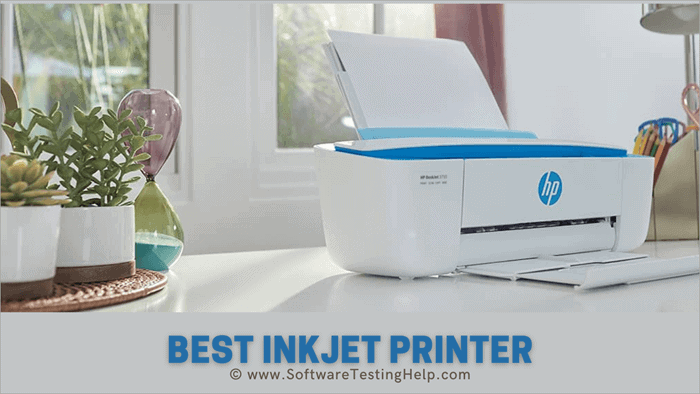
In conclusion, selecting the ideal inkjet printer hinges on understanding your specific needs and evaluating the available options carefully. By considering factors like print quality, speed, cost, and maintenance, you can make a wise investment that will meet your printing demands for years to come. Embrace the power of knowledge, and let this guide empower your printing journey.
Essential Questionnaire
What are the common maintenance tasks for inkjet printers?
Regular cleaning of the print head, proper ink cartridge management, and occasional nozzle checks are crucial for optimal printer performance and longevity. Following the manufacturer’s guidelines is essential for avoiding damage and maximizing print quality.
What are the key differences between cartridge-based and ink tank printers?
Cartridge-based printers offer convenience but can be more expensive in the long run due to ink costs. Ink tank printers, on the other hand, provide significant cost savings over time. However, ink tank printers might require more frequent maintenance.
What factors influence the total cost of ownership for different printers?
Beyond the initial purchase price, consider the cost of ink, paper, and potential maintenance. A printer’s duty cycle, or its monthly print volume, also affects long-term costs. Understanding these factors is essential for making a cost-effective decision.
How do I determine the appropriate printer based on my printing needs?
Consider your frequency of printing, the types of documents you typically print, and your budget. Factors like print speed, resolution, and paper compatibility also play crucial roles in determining the optimal printer for your specific needs.


